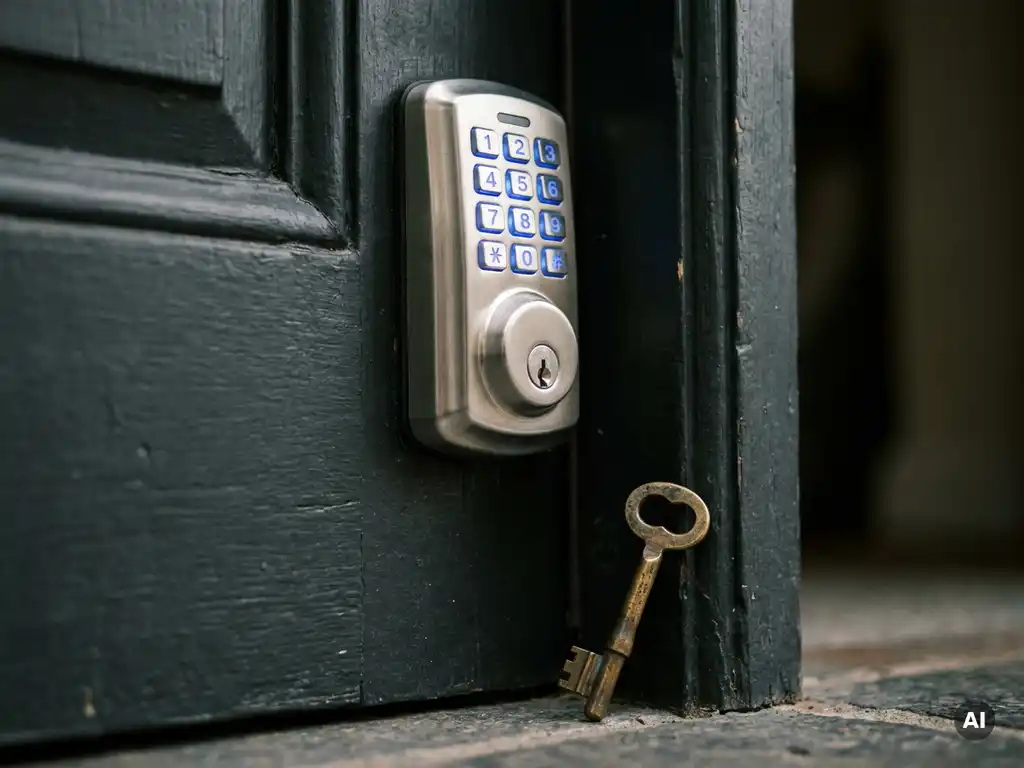
How do you upgrade from mechanical to electronic locks?
Upgrading from mechanical to electronic locks involves replacing your current locks with a digital system that grants access via a PIN code, badge, smartphone, or biometrics, without a physical key. This is a logical step for anyone who wants more control over who enters and when. If you have questions about which system suits your situation, then feel free to contact us with Sellox. In this article, we answer the most frequently asked questions about the switch.
What are the advantages of electronic locks over mechanical locks?
Electronic locks offer more flexibility, security, and control than mechanical locks. You do not need to manage physical keys, can set or revoke access rights remotely, and maintain a digital log of who enters and when. For businesses and individuals who are serious about access control Is this a big step forward?.
Mechanical locks have a clear limitation: if a key is lost or copied, you have to replace the entire lock. With electronic locks, you simply deactivate the relevant code or badge. That saves time, costs, and uncertainty. Moreover, with many systems, you can grant temporary access, for example, to a contractor who is only allowed in at certain times.
Other benefits include:
- No risk of key loss or unauthorized copies
- Integration with alarm systems, cameras, or building management systems
- Automatic locking after a set time
- Access registration per user and per time
- Remote management via an app or web portal
What types of electronic locks are available?
There are various types of electronic locks, each with its own method of granting access. The most common are PIN code locks, card readers (RFID or NFC), smartphone-controlled locks, and biometric locks based on fingerprint or facial recognition. The choice depends on the usage, the desired level of security, and the number of users.
PIN code and card readers
PIN code locks are easy to use and suitable for situations with a limited number of users. Card readers work with programmed badges or key fobs and are popular in offices and apartments. They are fast, reliable, and easy to manage. If you lose a badge, you deactivate it in the system and issue a new one.
Smartphone and biometric access
Locks operated via Bluetooth or an app offer maximum flexibility. You open the door with your phone and can grant access remotely. Biometric locks, such as fingerprint scanners, eliminate any risk of loss or theft of an access device. They are becoming increasingly affordable and are now also available for smaller businesses and homes.
Is an electronic lock compatible with my existing door?
Most electronic locks are compatible with standard door profiles and can be installed on existing doors without major modifications. However, it is advisable to have the door thickness, hinges and locks, and door frame type checked beforehand, as not every system fits every door.
Many electronic locks are designed as replacements for existing cylinder locks. You remove the mechanical cylinder and install an electronic cylinder or a fully smart lock in the same position. For steel doors, sliding doors, or doors with a specific Euro profile, additional adapters or custom work may be required. A professional installer will assess this in advance to prevent surprises later on.
How does the installation of an electronic lock proceed step-by-step?
In most cases, the installation of an electronic lock follows a fixed step-by-step plan: preparation, mounting, configuration, and testing. Depending on the type of lock, installation typically takes one to several hours per door.
- Inventory: Determine which doors will be fitted with an electronic lock and which type best suits the usage and the users.
- Choice of system: Select a lock that is compatible with the existing door and optionally connects to a central management system.
- Removal of the existing lock: The mechanical lock or cylinder is removed. In some systems, the existing hardware is partially retained.
- Installation of the electronic lock: The new lock is installed, including any wiring for power supply or emergency power.
- Configuration: Users are created, access rights are set, and the system is linked to an app or management software.
- Test and instruction: The lock is tested for correct operation and users receive an explanation of the system.
Preferably have the installation carried out by a certified installer. This not only guarantees correct installation but also ensures that the product warranty remains valid.
How much does it cost to switch to electronic locks?
The costs of switching to electronic locks vary widely, depending on the type of lock, the number of doors, and the complexity of the system. A simple smart lock for home use starts at around one hundred euros, while a complete access management system for commercial premises can easily cost several thousand euros.
Always include the following components in the total costs:
- Purchase costs of the locks themselves
- Installation costs per door
- Any costs for management software or a cloud subscription
- Costs for badges, keyfobs, or other access means per user
- Long-term maintenance and support costs
The investment often pays for itself because you no longer need to replace locks when keys are lost and because the management of access rights runs much more efficiently. For larger organizations, the savings on management and security typically far outweigh the purchase costs.
What to do if an electronic lock malfunctions or loses power?
If an electronic lock loses power, an emergency solution is provided in most cases. Many locks are battery-operated and provide a timely warning when the battery is running low. Other systems have an emergency power supply or a mechanical emergency cylinder as a backup, ensuring the door can always be opened.
In the event of a power outage in a wired system, it is important to know the so-called fail-safe or fail-secure setting. A fail-safe lock opens during a power outage, which is useful for emergency exits. A fail-secure lock remains locked, which is better for security-sensitive areas. Always discuss this with the installer in advance so that the lock is correctly configured for your situation.
Practical measures to compensate for loss:
- Proactively replace batteries based on the recommended lifespan
- Provide an emergency key or mechanical override for critical doors.
- Connect the system to a UPS (uninterruptible power supply) for wired installations.
- Test the emergency scenario periodically to ensure that the backup works.
A well-designed electronic access system always takes these types of scenarios into account. Do you want to know which system is most reliable for your situation? Contact us with Sellox, and we are happy to advise you on the best choice.
Frequently Asked Questions
Can I install an electronic lock myself, or do I always need an installer?
Some consumer locks, such as simple Bluetooth locks for home use, are designed for self-installation and come with clear manuals. For professional access control systems, wired installations, or situations where multiple doors are linked to a single central system, a certified installer is strongly recommended. This not only guarantees correct installation but also ensures that the product warranty remains valid and the system is configured correctly.
How secure are electronic locks against hacking or digital attacks?
High-quality electronic locks use encrypted communication protocols such as AES-128 or AES-256, making signal interception practically impossible. However, it is important to regularly update the lock's firmware and the accompanying app, use strong and unique passwords for the management system, and choose brands that demonstrably invest in cybersecurity. Always ask about the system's security certifications when purchasing.
What happens to access rights when an employee leaves the company?
This is precisely one of the biggest advantages of electronic locks: you can revoke a specific user's access rights immediately and remotely via the management software or app, without having to physically replace the lock. The relevant badge, PIN code, or smartphone link is deactivated, and the person immediately loses access. This makes electronic locks ideal for organizations with a fluctuating workforce.
Are electronic locks also suitable for outdoor use and in all weather conditions?
Many electronic locks are designed for outdoor use and feature an IP protection class (such as IP54 or IP65) that indicates the extent to which the device is resistant to dust and water. For exterior doors, it is advisable to choose a lock with a high IP rating and materials that are resistant to temperature fluctuations, rain, and moisture. Always explicitly ask the supplier about suitability for the specific environment where the lock will be installed.
Can I integrate an electronic lock with my existing alarm system or cameras?
Yes, many modern electronic locks and access control systems are designed to integrate with alarm systems, IP cameras, and building management systems via standard protocols such as Wiegand, OSDP, or API connections. For example, you can configure an alarm to sound after multiple failed attempts, or have a camera automatically record when a door is opened. Discuss the desired integrations with the installer in advance to ensure that the chosen system is compatible with your existing infrastructure.
What is the average lifespan of an electronic lock and when should I replace it?
Most high-quality electronic locks have a mechanical lifespan of 100,000 to 500,000 operating cycles, which amounts to ten years or more under normal use. The electronic components and software are generally supported with updates for longer, but may become outdated in relation to new security standards after five to ten years. Regular maintenance, timely battery replacement, and keeping up with firmware updates significantly extend the lifespan.
How do I manage an electronic lock system if I have multiple locations or properties?
Many professional access control systems offer a central web portal or cloud platform that allows you to manage multiple locations from a single environment, regardless of your location. You can create users, set access rights per location or per door, and view reports on all activity across all your properties simultaneously. For organizations with multiple branches, it is advisable to specifically inquire about multi-site management and system scalability when purchasing.