How do you arrange access to shared business spaces?
Access to shared business spaces is managed by using a combination of keys, passes, PIN codes, or digital access systems, coupled with clear agreements on who is allowed where. The right approach depends on the number of users, the sensitivity of the spaces, and how often occupancy changes. In this article, we answer the most frequently asked questions about access control in shared workspaces, so that you can make an informed choice. Do you have a question right away? Feel free to contact us and we will help you further.
What access options are available for shared business spaces?
For shared business spaces, there are four common access options: physical keys, access passes or keycards, PIN code systems, and digital access control systems based on apps or biometrics. Which option is the best fit depends on the number of users, the desired level of security, and long-term manageability.
Physical keys are the most traditional solution. They are inexpensive to purchase, but difficult to manage once multiple parties require access. If lost, you have to replace the lock, which incurs costs.
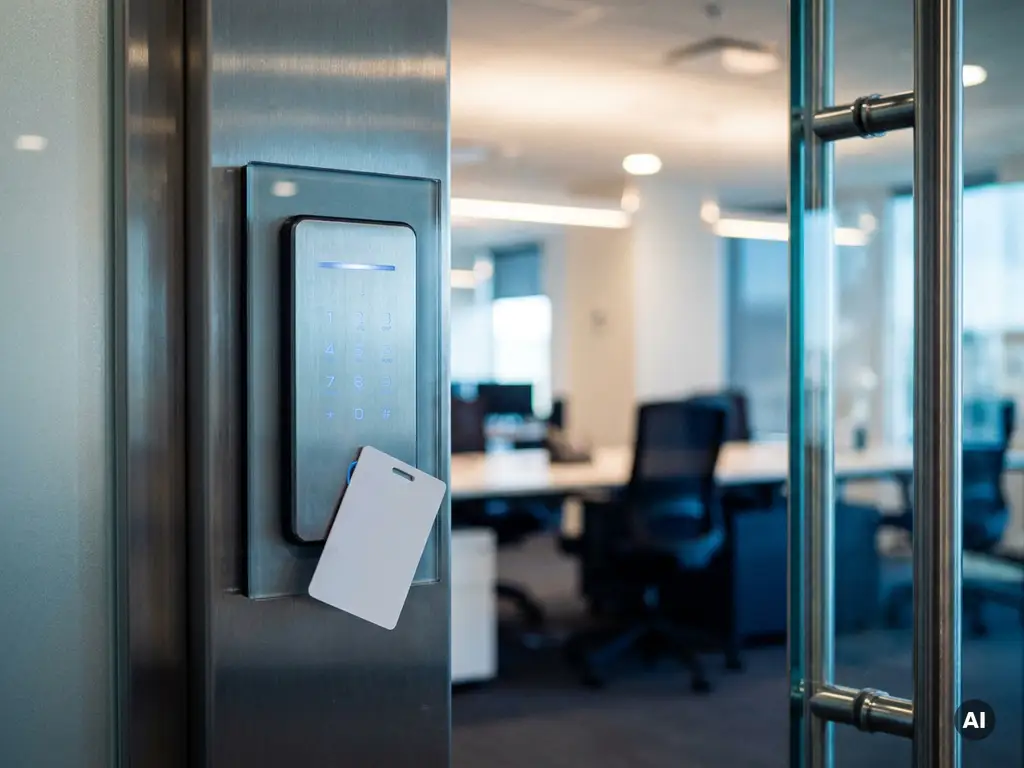
Access passes and keycards offer greater flexibility. Cards are easy to deactivate without the need to replace locks. They are suitable for multi-tenant office buildings or flexible workspaces.
PIN code systems operate without a physical carrier, which is practical for spaces with changing users. The disadvantage is that codes can be shared and it is more difficult to keep track of who entered when.
Digital access control systems combine multiple methods and offer the most control. Through a central platform, you manage who has access, at what times, and to which areas. This makes them ideal for more complex situations with many users or sensitive locations.
How do you determine who gets access to which room?
You determine who gets access to which room by creating an access matrix: an overview of all rooms and the associated user groups. Next, link each profile to the rights that match the user's function, role, or agreement. Adhere to the principle of least access: only grant people access to what they truly need.
Start by mapping out all spaces in the building. Consider entrances, meeting rooms, server rooms, warehouses, and sanitary facilities. Determine the risk associated with unauthorized access for each space.
Next, divide users into groups based on their role. Permanent employees, flex workers, cleaning staff, and visitors all have different needs and risk profiles. A flex worker needs access to the workspace and common areas, but not to a locked server room or executive office.
Document the choices made in writing so that an up-to-date overview is always available in the event of personnel changes or audits. This prevents confusion and makes it easier to adjust rights when situations change.
What are the risks of poorly managed access control?
Poorly managed access control leads to unauthorized access, theft, data breaches, and liability risks. This is particularly vulnerable in shared business spaces, as multiple parties use the same infrastructure and it is easy to lose track of things.
A common problem is that departed employees or former tenants still have access to the premises. If pass or key rights are not revoked immediately after leaving employment or contract termination, a security vulnerability remains that is difficult to trace.
In addition, a lack of logging increases the likelihood that incidents go unnoticed. Without a record of who entered and when, it is virtually impossible to determine exactly what happened in the event of theft or damage. This complicates both internal investigations and contact with insurers.
Finally, organizations that implement inadequate access control may come into conflict with privacy legislation, particularly if personal data or sensitive business information is accessible to unauthorized persons. Careful access control is therefore not only an operational matter but also a legal responsibility.
How do you arrange temporary access for visitors and suppliers?
Temporary access for visitors and suppliers is best managed via time-based access methods: one-time PIN codes, temporary badges, or digital guest accounts that automatically expire after a set period. This way, you maintain control without having to intervene manually after every visit.
For occasional visitors, a physical visitor pass issued at the reception or entrance and collected afterwards is often sufficient. Ensure that registration always takes place: name, time of arrival and departure, and the purpose of the visit.
Suppliers who return regularly, such as cleaning companies or maintenance services, benefit from a fixed, time-bound pass that is only valid during the agreed hours. Outside those times, the pass is automatically blocked. This prevents suppliers from having access to areas where they do not need to be at unexpected times.
With digital systems, you can create guest accounts via an app or web portal. The visitor receives a temporary code or QR code, which automatically becomes invalid after use or after the validity period expires. This is efficient, traceable, and requires minimal manual intervention.
When is a digital access control system the best choice?
A digital access control system is the best choice when dealing with many users, fluctuating occupancy, multiple access points, or high security requirements. From the moment manual management of keys or passes becomes time-consuming or error-prone, a digital solution pays off.
For small offices with a fixed, manageable group of employees, a simple pass system may suffice. However, as soon as you have to deal with flex workers, multiple tenants, external parties, or sensitive areas, an analog system falls short.
Digital systems offer real-time insight into who is located where, automated reporting, and the ability to adjust access rights remotely and directly. This is indispensable in the event of an incident or emergency. Moreover, they scale with growth: adding a user or a new room takes just a few clicks.
From a cost perspective as well, a digital system is often more advantageous in the long run than repeatedly replacing locks or manually managing a growing set of passes. The initial investment pays for itself in terms of time saved, security, and ease of management.
How do you keep access management up to date during staff changes?
You keep access management up to date during personnel changes by incorporating the revocation or modification of access rights as a standard step in the onboarding and offboarding process. Link access management to HR processes so that changes are never skipped.
Prepare a checklist for every employee leaving the company. This must include at least: collecting the access card, deactivating digital rights, and verifying whether the employee had access to shared accounts or secure areas. Preferably, perform these steps on the last working day, not retrospectively.
For new employees, the reverse applies: ensure that access rights are ready on the first working day, tailored to the role and the required spaces. Avoid granting temporary broad access with the intention of restricting it later. In practice, that “later” is often forgotten.
In addition, schedule periodic audits at least once a quarter, comparing the overview of active users with the current personnel list. This allows you to quickly discover if any rights remain that are no longer applicable. A good digital system makes these types of checks easy to perform without having to manually search through paper files.
Good access management is not a one-time setup, but an ongoing process that requires structure and attention. Do you want to know which approach best suits your situation? Contact us with Sellox, and we are happy to think along with you.
Frequently Asked Questions
What does a digital access control system cost on average for a shared business space?
Costs vary widely depending on the number of access points, users, and the chosen system. A basic setup for a smaller space typically starts at around €500–€1,500 for hardware and installation, while more extensive systems with multiple locations and advanced reporting can run into several thousand euros. Also, take into account any monthly software licenses. In the long run, these costs are often far outweighed by savings on lock replacements, maintenance work, and the prevention of security incidents.
How do I handle access control when multiple companies share the same space?
When there are multiple tenants or companies in a single building, it is advisable to use a tiered access system: each organization manages access to its own spaces, while a central administrator manages the common areas. Digital systems make it possible to create separate access profiles for each company or user group without parties being able to influence each other's access. Specify in the lease agreement or cooperation agreements who is responsible for which part of access management. This prevents ambiguity and liability disputes in the event of incidents.
What common mistakes should I avoid when setting up access control?
One of the most common mistakes is granting overly broad access at the outset, with the intention of refining it later—in practice, this rarely happens. Other common errors include: failing to set up logging, rendering incidents untraceable; not collecting access cards upon employee departure; and the lack of periodic checks on active rights. Also ensure that emergency procedures are documented: what do you do if someone loses their card or if a system fails? A well-thought-out plan prevents you from improvising in a crisis situation.
Is access control via an app secure enough for sensitive business premises?
App-based access control is certainly secure enough for most business environments with a reliable supplier, provided the system uses encrypted communication and two-factor authentication. For particularly sensitive areas, such as server rooms or archives containing confidential data, you can combine app access with an additional verification step, such as a PIN code or biometric scan. When choosing a supplier, always check whether the system complies with relevant security standards and privacy legislation, such as the GDPR. Also, inquire about the procedure in the event of a malfunction or cyberattack.
How do I ensure that my access management complies with the GDPR?
Access records contain personal data — such as who entered where and when — and are therefore subject to the GDPR. Ensure that you do not retain log data longer than necessary and record the retention period in writing in a processing register. Inform employees and visitors transparently about which data is being kept and for what purpose. Preferably work with a supplier who has configured their systems to be GDPR-compliant and is willing to sign a data processing agreement.
Can I upgrade an existing lock or card system to a digital system without replacing everything?
In many cases, a complete replacement is not necessary. So-called retrofit solutions are available, such as smart lock cylinders or surface-mounted readers, which are installed over existing locks or doors and connect to a digital platform. This saves significantly on installation and material costs. However, it is advisable to have a specialist assess whether your current infrastructure is compatible, so that you do not face unexpected adjustments later on.
How do I train employees and tenants to use the access system correctly?
A good introduction starts with onboarding: explain at the outset how the system works, what the rules are regarding sharing codes or passes, and what employees must do in case of loss or theft. Make a short written instruction or video available as a reference guide. Emphasize the importance of access security not as a bureaucratic obligation, but as a shared responsibility for everyone's safety. Repeat the key points during periodic updates or when the system is modified.