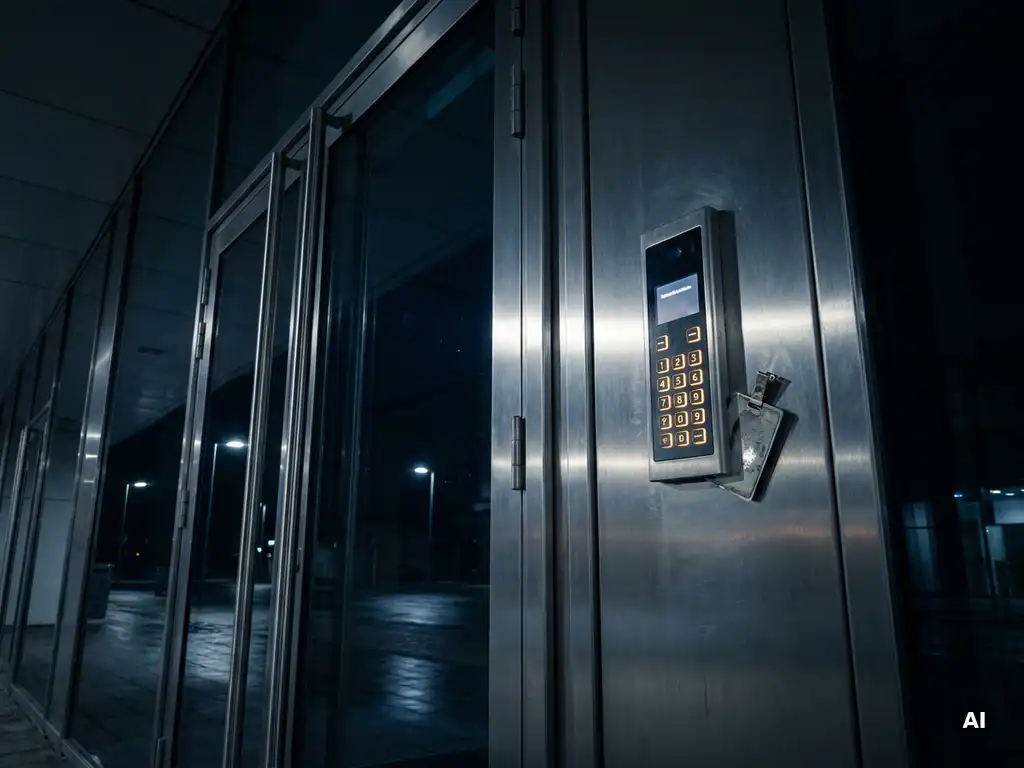
How do you arrange access outside office hours?
You arrange access outside office hours by using an automated access control system This works based on access cards, PIN codes, biometrics, or a combination thereof. With such a system, you determine exactly who may enter which room and when, without someone needing to be present at all times. Do you have questions about the right approach for your situation? Feel free to contact us and we are here to help. In this article, we answer the most frequently asked questions about access outside working hours.
What methods exist for access control outside working hours?
For access control outside working hours, various methods are available, depending on the level of security you require. The most commonly used solutions are electronic access cards, PIN code systems, biometric readers, and mobile access via smartphone. Each system offers specific benefits for certain situations and user groups.
Electronic access cards are the most common choice for companies. Employees receive a card or key fob that communicates with a reader at the door via RFID or NFC. The advantage is that you can easily block a card if it is lost or if an employee leaves the company.
Biometric systems, such as fingerprint or facial recognition, offer a higher level of security because they cannot be transferred or lost. They are suitable for areas with heightened security requirements, such as server rooms or archives. Mobile access via an app is rapidly gaining ground because employees always carry their smartphones with them and remote management is simple.
How do you set access rights for specific time windows?
You set access rights for specific time windows via the access system management software. In it, you specify for each person or group which time blocks access is permitted, for example, only on weekdays between 06:00 and 22:00. Outside those times, access is automatically denied, even if the pass or code is valid.
Most modern systems work with profiles or roles. You create a profile for night shift employees, cleaning staff, or security personnel and link the corresponding time windows to it. This way, you do not have to change settings for each person individually, but manage it at the group level.
Time windows can also be linked to specific doors or zones. An employee may then enter the office during the day but only has access to the back door or a specific floor outside working hours. This provides fine-grained control without making the system unnecessarily complex. Also, do not forget to set exceptions for holidays or special situations so that the system always aligns with reality.
What are the risks of unattended access outside office hours?
Unsupervised access outside office hours entails significant risks, including theft, vandalism, unauthorized use of company assets, and liability issues. Moreover, without control over who enters the premises, it is difficult to determine what happened afterward if an incident occurs.
A concrete risk is that employees or visitors gain access to areas for which they do not have authorization. Examples include a server room, a safe, or an archive containing confidential documents. Without a record of who was present and when, the audit trail is missing, which is crucial for investigations or insurance claims in the event of an incident.
In addition, there is the risk of social engineering. Someone entering the premises unsupervised may hold a door open for an unauthorized third party, whether intentionally or unintentionally. This phenomenon, also known as tailgating, is difficult to prevent without physical measures such as airlocks or detection gates. A well-designed access control system records every entry attempt and stores alarms if there are any anomalies, ensuring you always have a complete overview.
How does remote access control work for a building?
Remote access management works via a cloud-based or networked system that allows an administrator to remotely open and close doors, modify permissions, and view access logs. This means you do not need to be physically present to grant or deny access, which is particularly practical outside of business hours.
In practice, the administrator logs in to a secure web portal or an app. From that portal, it is possible to see in real time which doors are open or closed, who has recently entered the premises, and whether there are any alarm notifications. In the event of an emergency, such as an employee forgetting their pass or a supplier needing to deliver outside working hours, the administrator can intervene immediately.
Integration with other systems
Remote access control works most effectively when integrated with other security systems, such as camera surveillance and intrusion detection. If an access attempt fails, the system can automatically activate camera recording or send a notification to a monitoring center. This creates a cohesive security network that actively responds to anomalies, even outside office hours.
Cybersecurity of the system itself
A key consideration with remote access management is the cybersecurity of the platform itself. Ensure that the system uses encrypted connections, two-factor authentication for administrators, and regular software updates. A poorly secured system can become a weak link that actually jeopardizes access to the premises.
When is a security service needed outside office hours?
Off-hours security is necessary when technical systems alone provide insufficient protection, for example at premises with a high-risk profile, large quantities of valuable goods, or situations requiring rapid physical intervention. Technology and human surveillance complement each other and do not completely replace one another.
Situations in which a security service offers added value include:
- Properties where large amounts of cash or valuable equipment are present
- Locations with an increased risk of burglary or vandalism based on historical incidents
- Events or temporary situations where the normal access pattern deviates significantly
- Situations where a technical alarm requires an immediate physical response that a control room cannot provide independently
- Premises where vulnerable persons or sensitive information are present
A combination of automated access control and a security service provides the strongest protection. The system records and restricts access, while the security service responds to incidents and provides a preventive presence that deters. For many companies, the right balance depends on the risk profile of the premises and the value of what needs to be protected.
Do you want to know which combination of measures best suits your situation? Contact us with Sellox and schedule a no-obligation consultation.
Frequently Asked Questions
How long does it take to install and commission an access control system?
The installation time depends heavily on the size of the building and the chosen system. For a small office with a few doors, you are typically operational within one to two days, while a larger building with multiple zones and integrations can take several weeks. It is advisable to have a site scan performed in advance to ensure a smooth installation and that the system is correctly configured immediately.
What happens if the system fails or there is a power outage?
Most professional access control systems are equipped with an emergency power supply, such as a UPS (Uninterruptible Power Supply) or built-in batteries in the door controllers, so that the system continues to function even during a power outage. Depending on the configuration, doors can automatically switch to 'locked' or 'unlocked' in the event of a power failure, which you set based on your escape route and safety policies. Always ensure that your emergency procedures are documented and that employees know how to act in the event of a system failure.
How do I prevent misuse of access passes by employees who have left the company?
One of the biggest advantages of an electronic access management system is that you can deactivate a card or user account immediately via the management software, without having to collect physical keys. It is recommended to make this part of your HR department's standard offboarding process so that access is always revoked on the last working day. Also, set up periodic audits to check all active access rights for relevance, so that creeping risks are detected in a timely manner.
Is an access control system also suitable for small businesses or freelancers with shared premises?
Absolutely, even for smaller organizations or multi-tenant buildings, scalable solutions are available that are affordable and easy to manage. Cloud-based systems are particularly suitable because they do not require expensive server infrastructure and allow you to scale up per user or door. Furthermore, in shared buildings, you can set separate access rights per tenant or user group, ensuring that everyone only has access to the spaces relevant to them.
Does the registration of access credentials comply with GDPR legislation?
Access control systems record personal data, such as who opened which door at what time, which falls under the General Data Protection Regulation (GDPR). As an employer, you are obliged to inform employees about this, conclude a data processing agreement with your supplier, and not retain the data longer than strictly necessary. Establish the retention periods and the purpose of the recording in your privacy policy and, in case of doubt, consult a legal advisor or your Data Protection Officer.
Can I convert an existing lock system to an electronic access control system without major renovations?
In many cases, it is possible to equip existing doors with electronic locks or access readers without extensive structural modifications, especially if an electrical infrastructure is already in place. Wireless solutions are also available that operate on batteries and communicate via a wireless network, significantly reducing installation costs and time. A professional assessment of your current situation helps determine the most cost-effective upgrade path.
How do I ensure that the system also works for visitors or temporary employees outside office hours?
Most modern access control systems offer the ability to create temporary or one-time access rights, for example via a temporary PIN code, a digital guest pass, or a QR code sent via email or SMS. You precisely configure for which door, on which date, and within which time window the access is valid, after which it expires automatically. This makes managing visitors and temporary staff simple and secure, without the need for you to be present on-site.