What is access control?
Access control is a security measure used to determine who has access to a building, room, or system. The principle is simple: only authorized persons may enter or use a specific location or resource. Access control is applied in a wide range of environments, from offices and hospitals to data centers and industrial facilities. Would you like to know which system suits your situation? Feel free to contact us with Sellox. We are happy to help you further. In this article, we answer the most frequently asked questions about access control, from how it works to which technologies are available.
How does an access control system work in practice?
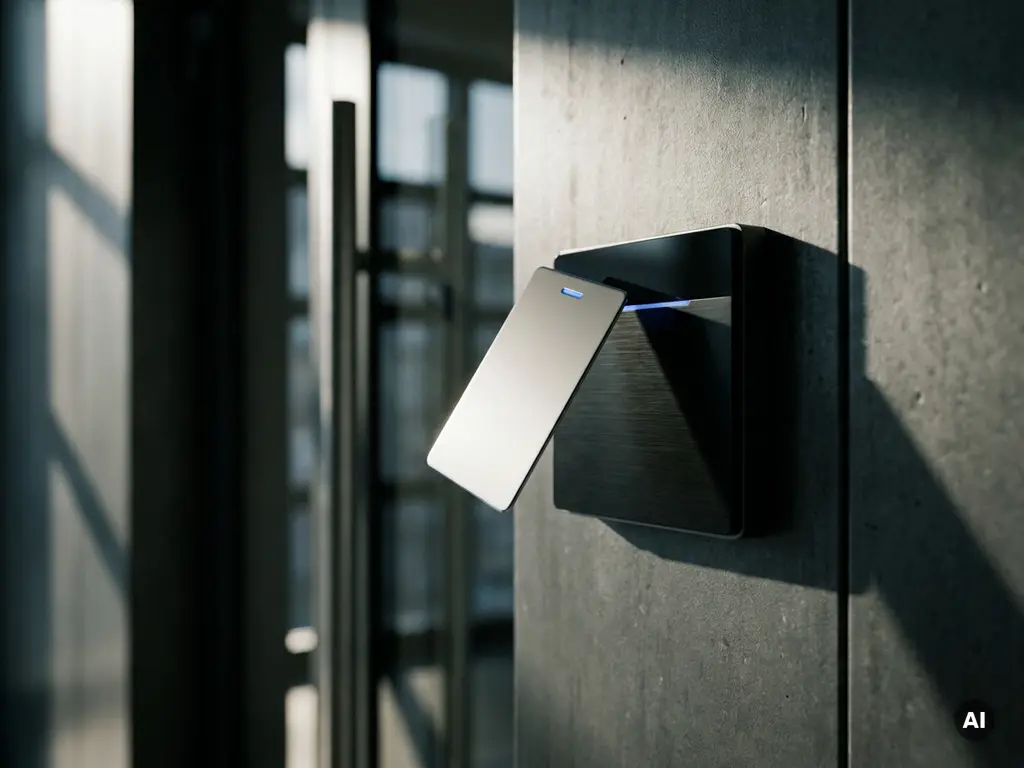
An access control system works by verifying a person's identity or authorization before granting access. This is done via an identification method, such as a card, PIN code, or fingerprint, which is checked by a reader. If the verification is successful, the system sends a signal to a door controller, which opens the door or keeps it locked.
In practice, an access control system consists of three core components:
- Means of identification: the carrier of the access rights, such as a pass, tag, or biometric characteristic
- Reader or scanner: the device that reads and verifies the means of identification
- Door controller and locking: the hardware that controls physical access based on the verification result
All actions are recorded in a logbook. This means that afterwards you can see exactly who entered which room and when. Larger organizations link this to a central management system, allowing access rights per person or group to be easily modified or revoked.
What types of access control exist?
There are three main forms of access control: discretionary access control (DAC), mandatory access control (MAC), and role-based access control (RBAC). The choice depends on the degree of control an organization wishes to exercise and how dynamic the access rights need to be.
Discretionary access control (DAC)
With DAC, the owner of a room or system determines who has access to it. This is flexible and easy to manage, but it also entails risks if permissions are not consistently maintained. It is often used in smaller organizations.
Mandatory Access Control (MAC)
With MAC, access rights are determined centrally based on classification levels. Users cannot assign rights themselves. This model is used in environments with strict security requirements, such as government agencies or defense.
Role-based access control (RBAC)
RBAC is the most widely used form in business environments. Access rights are linked to a function or role, not to an individual person. An employee in the IT department automatically gains access to the server room; someone from administration does not. This makes management scalable and clear.
What is the difference between access control and access management?
Access control refers to the technical measures that regulate physical or digital access. Access control is the broader process of managing, assigning, and revoking access rights within an organization. Access control is therefore a part of access management, not the same thing.
A concrete example clarifies the difference. The card reader at the door is a means of access control. The process whereby a new employee is assigned rights, existing rights are adjusted upon a change of position, and rights are revoked upon termination of employment—that is access management. Good access management ensures that access control is always up-to-date and correct.
In practice, both work closely together. Without proper access management, access rights become outdated and security vulnerabilities arise, even if the technical systems function perfectly.
Which technologies are used for access control?
The most commonly used technologies for access control are RFID cards, PIN terminals, biometric scanners, and mobile access via smartphone. More modern systems combine multiple technologies for additional security, also known as multifactor authentication.
- RFID and NFC: Contactless cards or keychains that are recognized by a reader. Fast, user-friendly, and widely applicable.
- PIN code: Simple and cheap, but less secure if codes are shared or forgotten.
- Biometrics: fingerprint, facial recognition, or iris scanning. High security, because the characteristic is unique and non-transferable.
- Mobile access: via a smartphone app, often in combination with Bluetooth or NFC. Flexible and easy to manage remotely.
- Smart video systems: camera systems that are linked to access control for visual verification at the entrance.
The choice of technology depends on the required level of security, ease of use for employees, and the budget. In environments with high security requirements, a combination of biometrics and a card is often chosen.
When is access control mandatory or legally required?
Access control is legally required in sectors where sensitive information or hazardous environments play a role. Examples include healthcare institutions that process personal data under the GDPR, financial institutions, data centers, and environments involving hazardous substances. NEN 2767 and ISO 27001 also set requirements for physical security and access control.
The General Data Protection Regulation (GDPR) obligates organizations to take appropriate technical and organizational measures to protect personal data. Physical access control is one of the measures that supervisory authorities, such as the Dutch Data Protection Authority, consider appropriate.
In addition to statutory obligations, industry-specific standards also mandate access control. For instance, insurers require demonstrable access security as a condition for coverage under certain risk classifications. It is advisable to always verify which standards and legislation apply to your sector during implementation.
What should you look for when choosing an access control system?
When choosing an access control system, you consider scalability, integration options, ease of use, maintenance, and the required security level. A system that suffices today must also be able to grow with the organization.
Take the following points into account during the selection:
- Number of doors and locations: A small office has different requirements than an organization with multiple buildings or branches.
- Integration with other systems: Can the system be linked to intrusion detection, a camera system, or HR software?
- Manageability: How easy is it to assign, modify, or revoke rights? Cloud-based systems often offer more flexibility than local servers.
- Technology and ease of use: Does the chosen technology align with the daily working methods of employees?
- Maintenance and support: Who is responsible for updates, malfunctions, and hardware replacement?
- Compliance: Does the system comply with the applicable laws and regulations for your sector?
A good access control system is not only a technical investment, but also an organizational one. Ensure that the system aligns with the processes surrounding access management, so that rights always remain up-to-date and security is in order. Contact us with Sellox for personal advice on the system that best suits your organization.
Frequently Asked Questions
Can I convert an existing lock system to access control without major renovations?
In many cases, it is possible to upgrade an existing lock system to electronic access control with minimal structural modifications. There are solutions such as wireless locks and retrofit readers that are mounted on existing doors without the need for new wiring. A specialist can assess the existing situation and recommend the most cost-effective upgrade option.
What happens if the system fails due to a power outage?
Most professional access control systems are equipped with an emergency power supply, such as a UPS (Uninterruptible Power Supply) or battery backup, so that the system continues to function in the event of a power outage. Additionally, you can configure per door whether it remains locked (fail-secure) or opens (fail-safe) in the event of a power failure, depending on safety requirements and escape routes. It is important to configure this properly in advance in consultation with an installer.
How do I handle access control for visitors, suppliers, or temporary employees?
Modern access control systems offer the ability to create temporary or limited access rights, such as a visitor pass valid only on a specific day or time. Cloud-based systems allow you to easily create these rights remotely and have them expire automatically, without requiring physical presence. This way, you maintain tight security without compromising on hospitality or operational flexibility.
What are the privacy rules regarding the maintenance of access logs?
Access logs contain personal data, such as who entered a room and at what time, and are therefore subject to the GDPR. This means that you must have a clear purpose for maintaining the logs, inform employees about this, and not retain the data longer than necessary. In practice, a retention period of 30 to 90 days is often considered reasonable, but this varies by sector and application.
What is the difference between a standalone and a network-based access control system?
A standalone system operates completely independently per door: access rights are stored locally in the reader itself, and no central connection is required. This is cheaper and simpler, but less suitable if you want to quickly modify rights or centrally manage multiple doors. A network-based system connects all readers to a central server or cloud platform, allowing you to modify rights in real time, generate reports, and easily scale the system to multiple locations.
Which common mistakes should I avoid when implementing access control?
One of the most common mistakes is failing to revoke access rights, or revoking them incompletely, upon termination of employment or a change of role, causing former employees to unintentionally retain access. Other pitfalls include choosing a system that is not scalable, the lack of a clear management process, and underestimating maintenance and updates. Always ensure a fixed protocol regarding the assignment and revocation of rights and clearly define responsibilities within the organization.
How do I know which security level I need for my situation?
The required level of security depends on factors such as the nature of the spaces or data to be protected, the sector in which you operate, and any legal or insurance requirements. A risk analysis is the best starting point: map out which areas are sensitive, who needs access to them, and what the consequences of unauthorized access are. Sellox is happy to assist you in conducting such an analysis and translating the results into a suitable system.