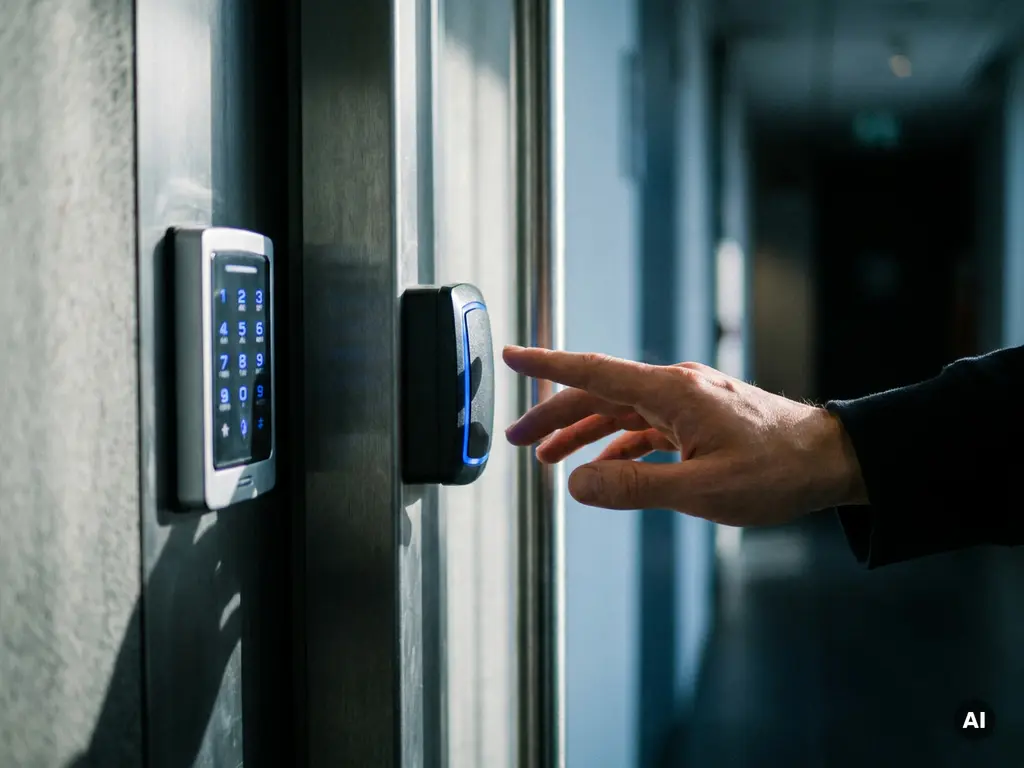
What is an access control system?
An access control system is a security solution that allows an organization to determine who is granted access to a building, room, or digital environment, and who is not. The system verifies a person's identity or authorization via a card, PIN code, biometrics, or a combination thereof, and grants or denies access based on predefined rules. In this article, we answer the most frequently asked questions about access management, from operation and types to costs and choosing the right system. Would you like immediate advice? Feel free to contact us with Sellox.
How does an access control system work?
An access control system works by combining three steps: identification, verification, and authorization. A person presents an identification method, such as a card or fingerprint. The system compares this with a database of authorized users and opens the door or blocks access based on the configured rights.
In practice, an access control system consists of a number of fixed components. A reader or scanner is positioned at the door and registers the identification method. A controller processes the data and compares it with the access rights in the system. An electric lock or barrier executes the decision. All actions are recorded in a logbook, ensuring that it is always clear who entered which room and when.
Modern systems are often cloud-based or linked to central management software. This allows administrators to remotely adjust access rights, set time windows, and receive notifications for suspicious activity.
What types of access control systems are there?
There are four commonly used types of access control systems: card- or tag-based (RFID), PIN- or password-based, biometrics such as fingerprint or facial recognition, and hybrid systems that combine multiple methods. The choice depends on the desired level of security and the practical requirements of the location.
RFID and card-based systems
RFID systems use a contactless card or key fob that emits a unique signal. The reader detects this signal and verifies whether the user has access. This is the most widely used method in office buildings and business parks due to the low cost and ease of use.
Biometric systems
Biometric systems verify a person based on unique physical characteristics, such as a fingerprint, palm print, or face. They offer a higher level of security because the means of identification cannot be lost or stolen. They are primarily deployed in areas with heightened security requirements, such as server rooms or laboratories.
Hybrid and multifactor systems
Hybrid systems combine two or more verification methods, for example, a card combined with a PIN code. This is also known as multifactor authentication. The likelihood that an unauthorized person can bypass all factors simultaneously is significantly reduced, which significantly strengthens security.
What is the difference between an access card and biometric access?
The main difference is that an access pass is something that you have, while biometric access is something that you are. A card can be lost, stolen, or passed on to someone else. Biometric features are personal and cannot be transferred, which makes security more reliable.
An access card is easy to manage and inexpensive to replace in case of loss. The disadvantage is that the system cannot distinguish who is actually using the card. Biometric access eliminates this risk but requires careful handling of personal data. In the Netherlands, the use of biometric data falls under the GDPR, which means that there must be a demonstrable necessity and a legal basis for the processing of this data.
When does a company need an access control system?
A company needs an access control system as soon as there are areas that should not be accessible to everyone, or when keeping track of who enters and leaves the premises is a requirement. This applies to virtually every organization with more than a handful of employees or with sensitive data, equipment, or goods on site.
Concrete situations in which professional access management necessary, include:
- Companies with multiple departments or floors with different access levels
- Organizations that work with confidential information or valuable equipment
- Properties with changing staff, freelancers, or visitors
- Locations with statutory security requirements, such as healthcare institutions or financial service providers
- Companies that operate outside office hours and want to control unattended access
Even for smaller companies, a simple system can make a big difference in awareness of who enters the premises and liability in the event of incidents.
How do you choose the right access control system?
You choose the right access control system based on four factors: the desired security level, the number of doors and locations, the size and turnover frequency of the user group, and the available budget. There is no universally best system; the right choice is always situation-specific.
Start with an analysis of the risks and access points at your location. Determine which areas are accessible only to specific employees and which may be open to visitors. Next, consider the manageability of the system: how easy is it to add or revoke permissions? A cloud-based system offers more flexibility in this regard than a locally installed solution.
Also consider scalability. A system that currently suffices for ten employees should ideally grow with the organization as it expands. Seek advice from a specialized supplier who assesses the situation on-site before recommending a solution.
How much does an access control system cost?
The cost of an access control system varies widely and depends on the number of doors, the type of system chosen, and the desired functionalities. A simple system for a single door starts at just a few hundred euros, while a fully integrated solution for a large commercial building can run into tens of thousands of euros.
The total investment typically consists of three cost items:
- Hardware: readers, controllers, electric locks and any biometric scanners
- Software and licenses: management software, cloud subscriptions or one-time license fees
- Installation and maintenance: installation by a certified installer and periodic maintenance to guarantee operation
In addition to the purchase costs, it is wise to consider long-term costs such as software updates, card replacements, and system expansion. A good access control system is an investment in the security and continuity of your business. Would you like to know which solution suits your situation? Contact us contact Sellox for a no-obligation consultation.
Frequently Asked Questions
Can I replace an existing lock with an access control system without major renovations?
In many cases, it is possible to install an access control system with minimal modifications to existing door frames and locks. Specific retrofit solutions are available that mount onto existing locks, eliminating the need for new doors or frames. Have an installer assess the current situation to determine which approach is most suitable and cost-effective for your property.
What happens if the system fails due to a power outage?
Most professional access control systems are equipped with an emergency power supply, such as a UPS (Uninterruptible Power Supply) or built-in batteries, so that the system continues to function even during a power outage. Additionally, you can configure each door individually to remain automatically open or closed in the event of a power loss – this is known as 'fail-open' and 'fail-secure', respectively. Which setting is most suitable depends on the safety requirements and the escape routes in your building.
How do I handle access rights for temporary employees or visitors?
Modern access control systems make it easy to set temporary access rights with a specific time window, for example, only on certain days or between fixed hours. After the set period expires, the rights are automatically revoked without the need for manual intervention. It is also possible to create one-time or time-limited passes or digital codes for visitors, ensuring you always maintain full control over who enters the premises.
Am I allowed to simply collect biometric data from employees for access control?
No, the use of biometric data is strictly regulated in the Netherlands under the GDPR (General Data Protection Regulation). Biometric data falls under the category of special personal data, for which an explicit legal basis and demonstrable necessity are required. In most cases, employee consent is not sufficient as the sole basis; it is strongly recommended to seek legal advice and conduct a Data Protection Impact Assessment (DPIA) before implementing a biometric system.
What is the difference between a standalone system and a cloud-based access control system?
A standalone system operates entirely locally: access data and settings are stored on a local controller or server, without an internet connection. A cloud-based system stores the data in the cloud, allowing you to manage access rights, receive notifications, and view reports from any location via an app or web browser. For organizations with multiple locations or remote administrators, a cloud solution offers significantly more flexibility, whereas a standalone system is sometimes preferred in environments where an internet connection is unreliable or undesirable.
Which common mistakes should I avoid when implementing an access control system?
A common mistake is underestimating the number of access points that need to be secured, which necessitates expensive expansions later on. Additionally, organizations frequently forget to establish a clear policy for revoking access rights upon employee departure, which poses a serious security risk. Finally, it is wise not to focus solely on the purchase price but also to factor the total long-term cost of ownership into the decision, including maintenance, software updates, and hardware replacement.
Can an access control system be linked to other security systems such as cameras or an alarm?
Yes, modern access control systems are often designed to integrate with other security systems such as CCTV, intruder alarms, and fire alarm systems. By linking these systems, you can, for example, automatically activate a camera when someone enters a secured area, or trigger an alarm upon repeated failed entry attempts. This integration provides a more complete security picture and makes managing all systems clearer via a single central interface.