What is cloud-based access management?
Cloud-based access management is a system where access control to buildings, rooms, or systems is managed via a cloud platform rather than local servers or hardware. All settings, user rights, and logs are stored centrally in the cloud, giving administrators access to the system anytime, anywhere. In this article, we answer the most frequently asked questions about cloud access, from how it works to how to choose the right system. Do you have a question right away? Feel free to contact us with Sellox.
How does cloud-based access management work in practice?
With cloud-based access management, access rights, key cards, PIN codes, or biometric data are managed via an online platform. The physical readers and controllers on-site communicate via the internet with the cloud environment, where all configurations and logs are stored. Administrators adjust rights via a web browser or app, without being physically present.
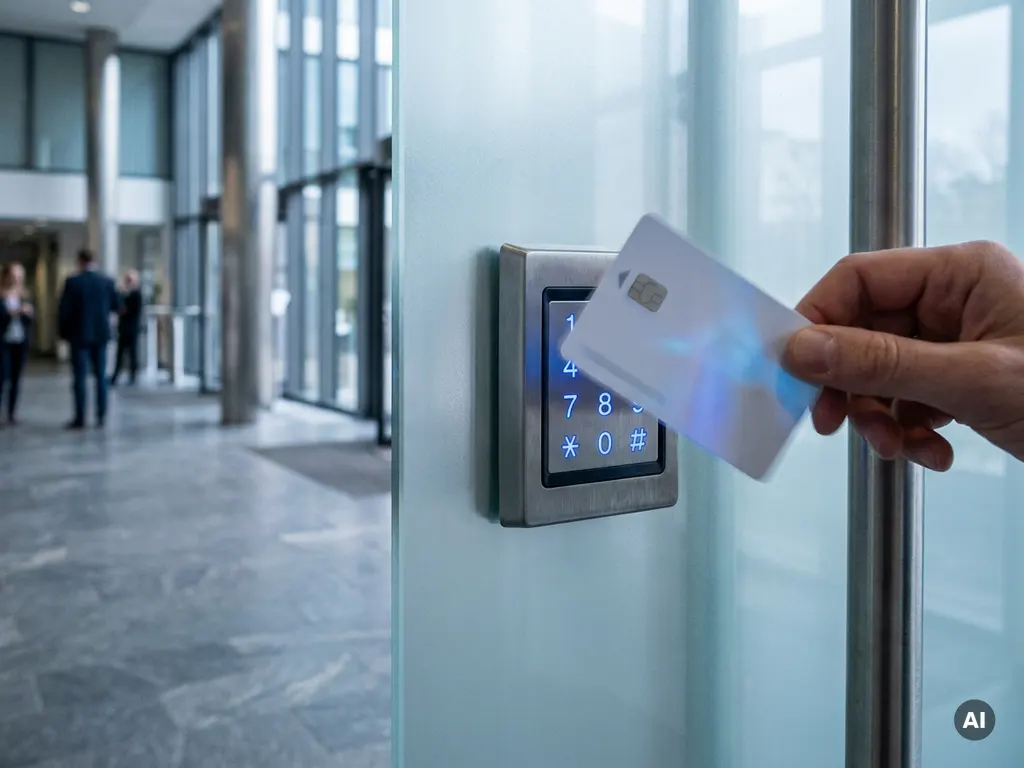
In practice, it works as follows: an employee holds their access card in front of a reader at the door. The reader sends a verification request to the cloud server, which checks within milliseconds whether the person has access. If the employee has the correct rights, the door opens. All actions are automatically logged in the system.
Thanks to the cloud connection, administrators can see in real time who was granted or denied access and when. Activating new employees, blocking lost passes, or granting temporary access to visitors takes just a few clicks, regardless of the administrator's location.
What are the benefits of cloud-based access management?
The main benefits of cloud-based access control its central manageability, scalability, and lower maintenance costs. Because the system runs in the cloud, software updates are automatic and an organization does not need to maintain expensive local server infrastructure. Remote management is included as standard.
- Remote management: Adjusting permissions, viewing reports, and handling incidents can be done from any location with an internet connection.
- Automatic updates: The supplier handles software updates and security patches, without the need for a technician to visit.
- Scalability: Adding new locations or extra users is simple, without major investments in hardware or infrastructure.
- Lower initial investment: No expensive local server is needed, which reduces startup costs.
- Integration options: Cloud platforms easily integrate with other systems such as HR software, video surveillance, or intrusion detection.
For organizations with multiple locations, central rights management via a single platform is particularly valuable. A security administrator no longer needs to log in per location or make adjustments on-site.
What is the difference between cloud and on-premise access management?
The core difference is where the software and data are stored and managed. With on-premise access management, the servers and software run on-site, fully managed by the organization itself. With cloud-based systems, the vendor manages the infrastructure externally, and the organization has access via the internet.
On-premise access management
On-premise systems give organizations full control over their data and infrastructure. They do not rely on an internet connection for basic functions and can be attractive to organizations with strict data requirements or existing server infrastructure. The disadvantage is that updates, maintenance, and management lie entirely with the in-house IT department, which entails higher operational costs.
Cloud-based systems
Cloud solutions reduce the management burden, offer greater flexibility, and scale faster. However, they do require a reliable internet connection and rely on the vendor's security measures. Modern cloud platforms, however, offer offline fallback options so that doors continue to function during a temporary connection interruption.
Is cloud-based access control secure enough?
Yes, cloud-based access management is secure, provided the vendor complies with current security standards. Serious providers use encrypted connections, two-factor authentication for administrators, and comply with privacy legislation such as the GDPR. In practice, security is often higher than with poorly maintained on-premise systems.
A common concern is that data is stored outside the organization. In reality, reputable cloud providers employ strict security protocols, regular audits, and redundant data storage in certified data centers. They invest structurally in security, which is difficult for many organizations to maintain independently.
User rights management remains a key area of focus: the greatest security risks do not arise from technical vulnerabilities, but from expired accounts or unmanaged access rights. A good cloud platform actually makes it easier to keep rights up to date through central overviews and automatic notifications.
For which organizations is cloud-based access management suitable?
Cloud-based access management is suitable for virtually any organization that manages multiple users, locations, or doors and requires flexible and scalable access management. It is particularly valuable for organizations that are growing, have multiple branches, or do not want to burden their own IT department with system administration.
Typical applications can be found in:
- Office environments with rotating staff and flexible workspaces
- Healthcare institutions and schools with many users and strict access rules per department
- Logistics and industrial locations with multiple buildings or gates
- Property managers who want to manage multiple properties remotely
- Start-ups and growing companies who want to scale up quickly without major IT investments
Smaller organizations with a single location and a stable user base can also benefit, especially when simple management and low maintenance costs are a priority.
What should you look for when choosing a cloud access management system?
When choosing a cloud access management system, the key considerations are: the vendor's security and certifications, integration capabilities with existing systems, the user-friendliness of the management platform, and the availability of local support. A good vendor considers your organization's specific situation.
Concrete points to assess:
- Security and GDPR compliance: Does the supplier comply with European privacy legislation and which security certificates does it hold?
- Offline operation: What happens if the internet connection is lost? Do the doors continue to function?
- Scalability: Can the system scale with more users, locations, or doors?
- Integrations: Does the system integrate with HR software, video surveillance, or other security systems?
- Ease of management: Is the dashboard intuitive and can permissions be adjusted quickly without technical knowledge?
- Support: Is local service and installation available, and how quickly does the supplier respond to malfunctions?
Take the time to compare systems based on your specific situation. A supplier who thinks along with your organization and offers a clear implementation plan is generally a better choice than the cheapest option. Do you want to know which system best suits your organization? Contact us with Sellox for personal advice.
Frequently Asked Questions
How long does the implementation of a cloud access management system take?
Implementation time depends on the size of the organization, but a basic installation for a single location is typically operational within one to a few days. The hardware (readers and controllers) is installed on-site, after which the cloud platform is configured with users and permissions. A good vendor offers a structured implementation plan and guides you step by step, ensuring the transition causes minimal disruption to daily business operations.
What happens to access if the internet connection goes down?
Modern cloud access management systems are designed with offline fallback functionality: the local controllers temporarily store access rights so that doors continue to function normally in the event of a connection interruption. As soon as the connection is restored, all log data is automatically synchronized with the cloud. It is advisable to specifically ask the vendor how long and under what circumstances this offline behavior is guaranteed.
Can I integrate my existing access cards and hardware with a new cloud system?
In many cases, integration with existing cards or readers is possible, depending on the technology used (such as MIFARE or HID). Some cloud platforms support existing hardware via compatible controllers, which can significantly reduce switching costs. It is advisable to choose a vendor that conducts a thorough inventory of your current infrastructure before making a proposal.
How do I manage access rights for temporary employees or visitors?
Cloud platforms make it easy to set temporary or limited access rights, for example, only for a specific duration, day, or room. For visitors, you can quickly create a temporary pass or PIN via the dashboard that automatically expires after the visit. This eliminates the risk of forgotten expired accounts and gives administrators full control without manual follow-up.
What common mistakes should I avoid when switching to cloud access?
A common mistake is failing to clean up user rights during migration: expired accounts of former employees are sometimes carried over to the new system. Additionally, organizations underestimate the importance of a clear management process: who is responsible for activating and deactivating accounts? Finally, it is wise not to select solely on price, but also to critically assess the quality of support and the offline operation of the system.
Is cloud-based access management GDPR-compliant, and what about the storage of personal data?
Serious cloud providers comply with the GDPR (General Data Protection Regulation) and process personal data in certified European data centers. It is important that, as an organization, you enter into a data processing agreement with the provider, which specifies how personal data is stored, secured, and deleted. Always ask the provider about their privacy policy, the location of data storage, and how long log data is retained.
What are the average costs of a cloud access management system?
The costs typically consist of two components: one-off hardware and installation costs (readers, controllers, and cabling) and a recurring subscription fee per door or user per month. Subscription costs vary significantly by vendor and functionality, but for smaller installations, they often range between €10 and €30 per door per month. It is advisable to compare the total costs over several years with an on-premise alternative, taking into account savings on IT management and updates.